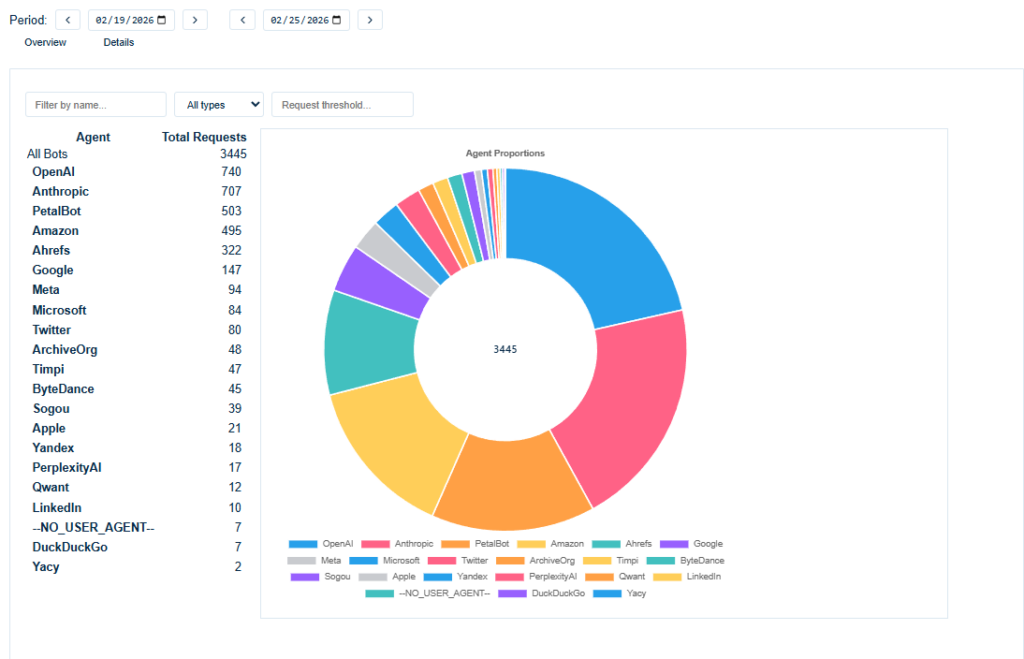
See who is accessing your content and how often. The chart shows daily traffic by agent (e.g. crawlers and services like OpenAI or Google). Pick a date range with the period selector, then use the Overview tab for the chart or the Details tab for per-agent statistics.
The Overview tab shows a line chart of daily request volume by agent for the selected period, so you can see trends and compare crawlers (e.g. OpenAI, Anthropic). Use the period selector and Refresh to update the data
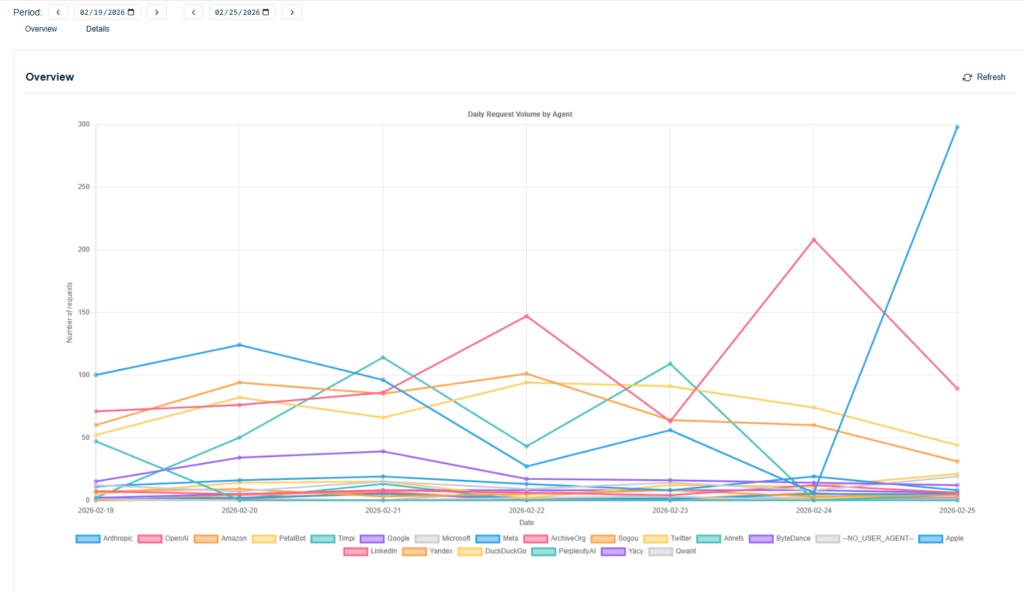
The Details view shows a per-agent breakdown for the chosen period: a table of agents and total requests plus an Agent Proportions donut chart. Use the filters (name, type, request threshold) to focus on specific agents.