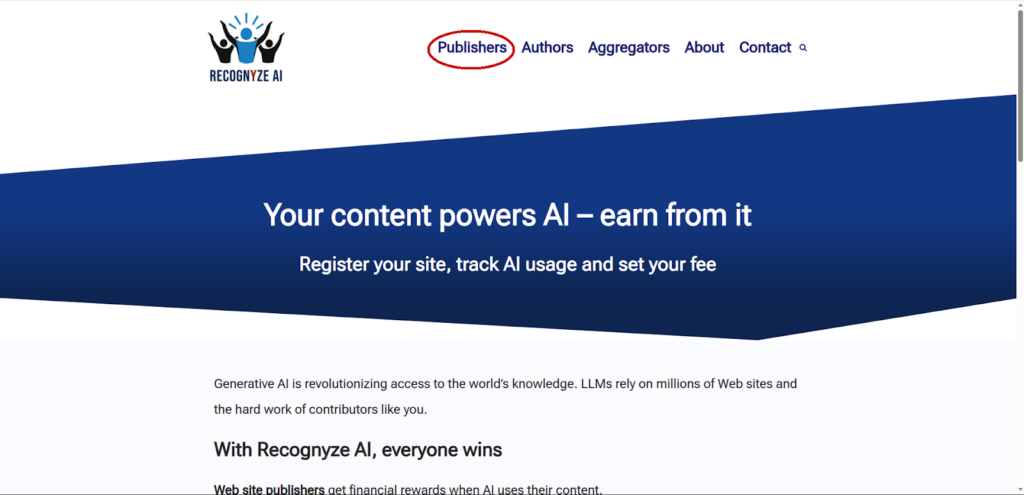
Go to recognyze.ai and click on the “Publishers” link as shown below:
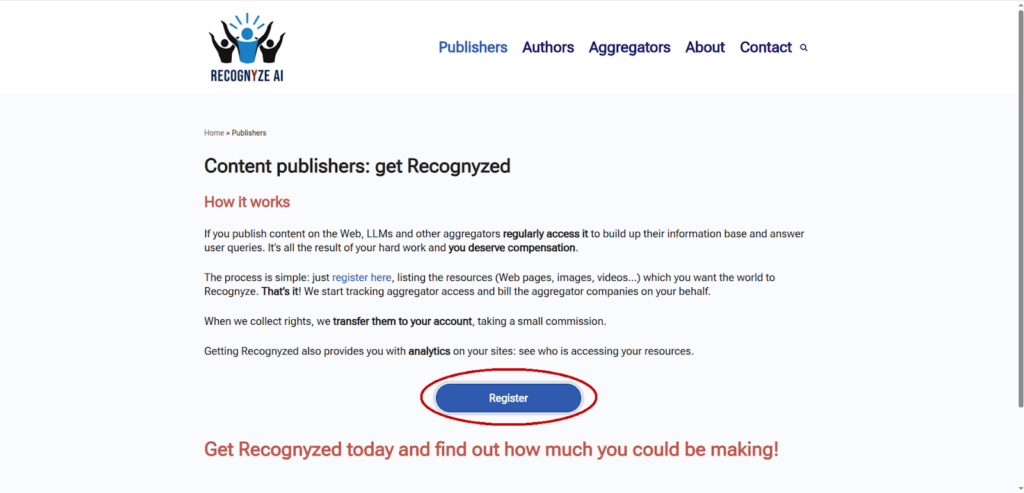
Afterwards, click on “Register”:
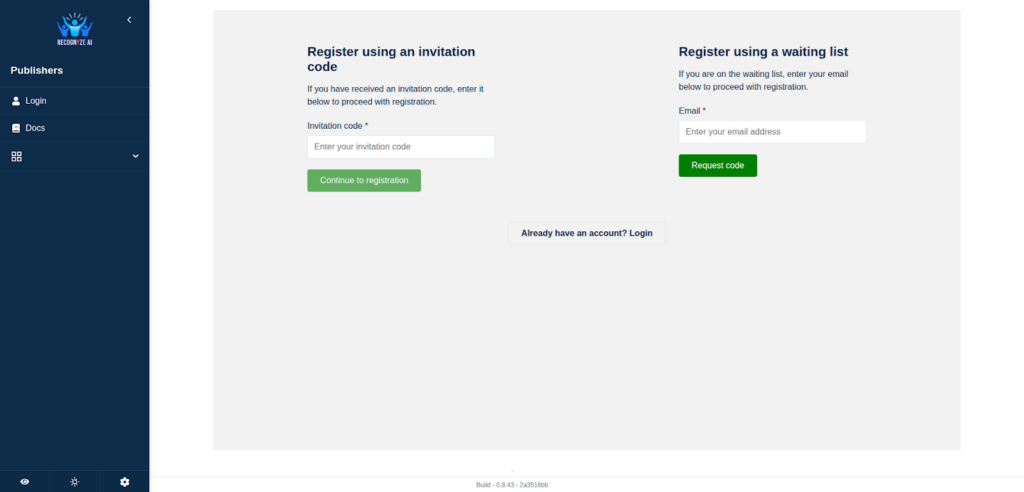
Here you can either type in your invitation code, if you have one, or sign up for the waiting list using your email address:
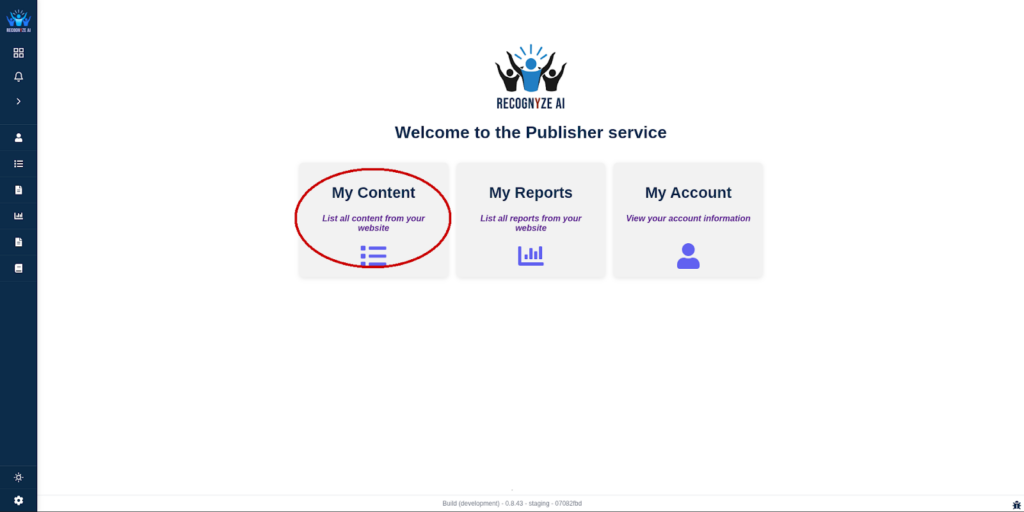
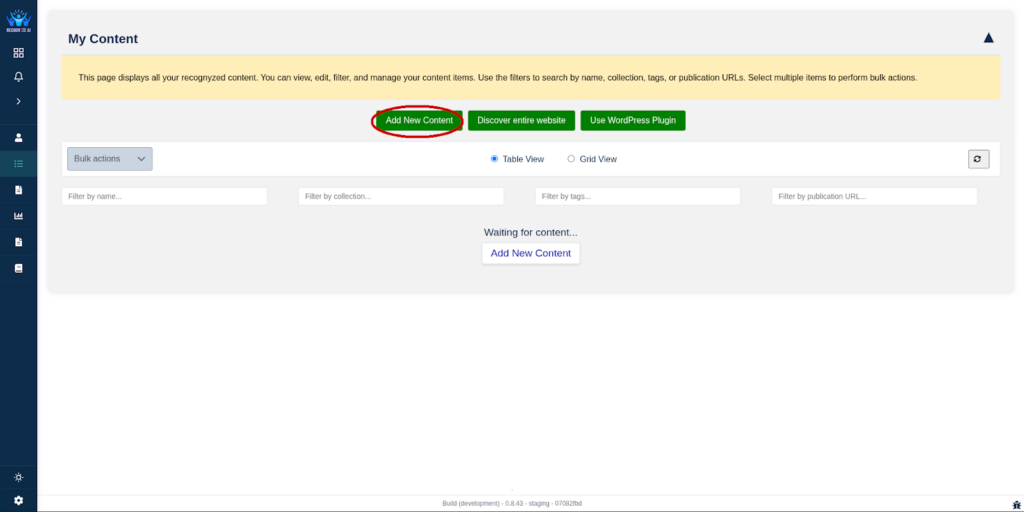
Once you’re logged in, you can recognize your content, check out your reports and see and modify information related to your account. Let’s check out the “My Content” section:
Here you can add new content to be Recognyzed:
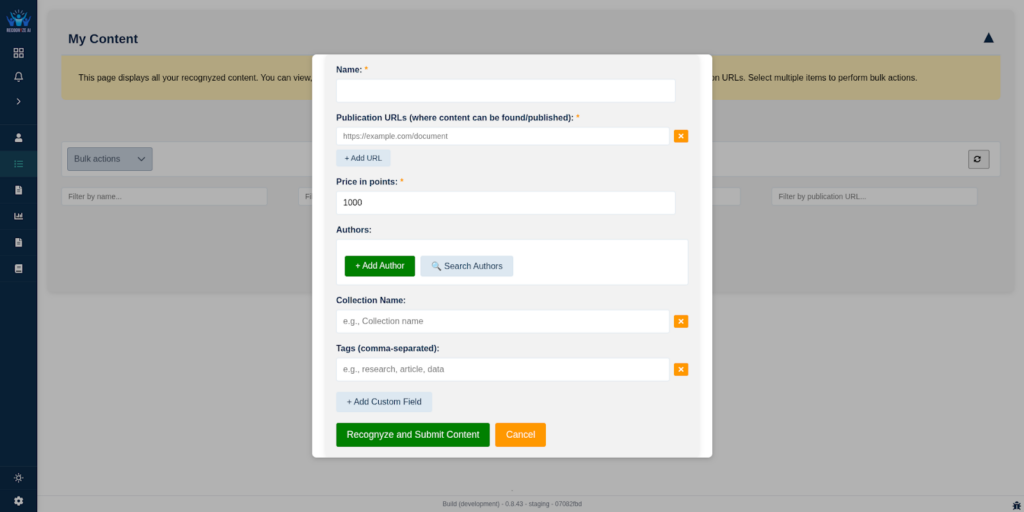
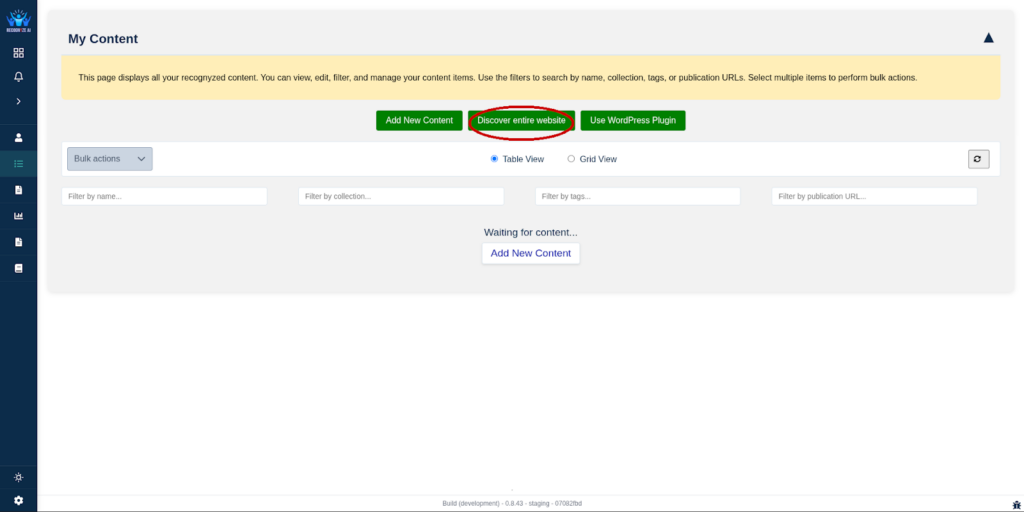
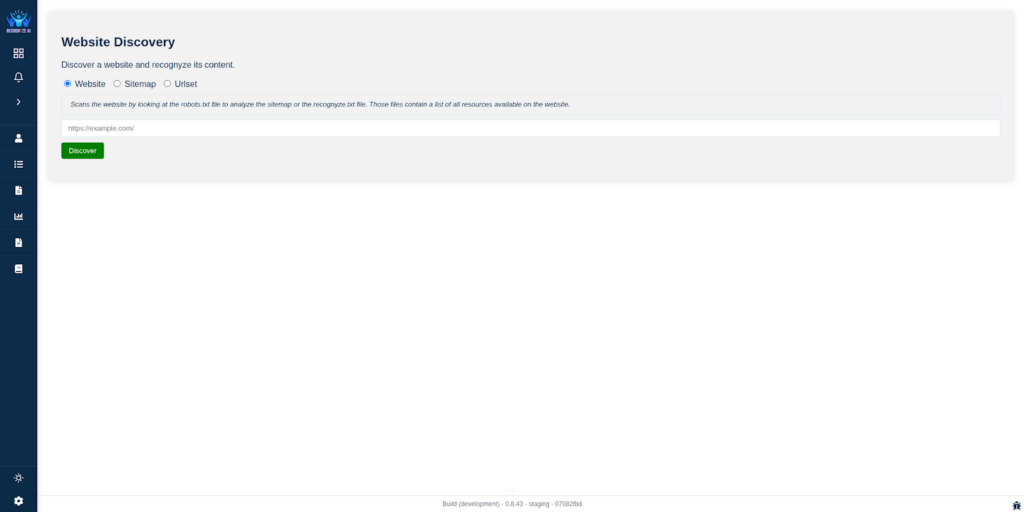
Or Recognyze your entire website in one go:
For more information about our WordPress plugin, please go here.
This concludes our basic guide for publishers. For more detailed information, questions or feedback, please go to the contact form.